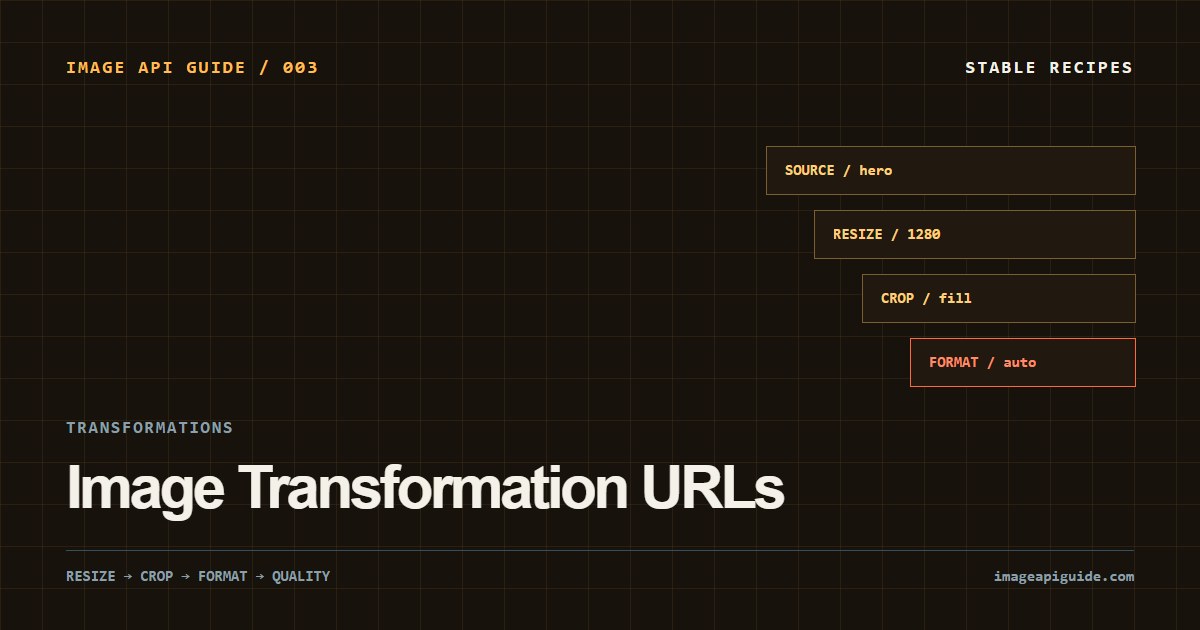
The useful mental model: an image transformation URL is a serialized recipe. It combines a source asset identity, an ordered set of operations, an output policy, and usually a version. When that recipe is deterministic, the result can be cached, tested, and reproduced.
The URL is not merely decoration around an image file. It is part of your application contract and your cache key.
Read the URL in layers
A provider-specific URL may look different, but the concepts are similar:
https://image.example/
  account-or-origin/
  transform/resize=fill,width=800,height=600,gravity=auto/
  format=auto/quality=auto/
  v7/catalog/shoe-blue
Read it as:
- delivery host: where the response and CDN policy live;
- asset or account scope: which source namespace is used;
- transformation recipe: geometry and visual operations;
- output policy: format, quality, metadata, and delivery behavior;
- source version and identifier: which immutable input the recipe uses.
Cloudinary documents a comparable structure with asset type, delivery type, transformation components, version, public ID, and optional extension. It also distinguishes comma-separated parameters inside one transformation component from slash-separated chained transformations. See Cloudinary image transformation URL syntax.
Resize and crop are different decisions
Start with the intended layout slot.
Fit keeps the complete image inside a boundary. One dimension may end up smaller than the box.
Fill covers the full box. Some source content may be cropped.
Scale changes dimensions without choosing a crop. If width and height force a different aspect ratio, the result can distort unless the API preserves ratio.
Pad keeps the full source and adds background around it to reach the target aspect ratio.
Specify the crop mode rather than relying on an undocumented default. Then specify gravity or focal point when cropping can remove meaningful content. A product system may store a focal region selected by merchandisers; an editorial system may use art-directed crops per breakpoint; a profile image may use face-aware gravity with a manual fallback.
The transformation recipe should be reviewable in application terms:
recipe: catalog-card-v3
box: 640 × 640
mode: fill
focal_source: stored-product-focal-point
upscale: false
background: #f4f2e8
That is safer than letting a client send any combination of width, height, crop, and gravity.
Generate widths from layout demand
One universal width wastes bytes on small screens. Hundreds of widths fragment the cache and create needless derivatives.
Measure the actual image slots in your layouts and choose a restrained ladder. For example, a card shown at roughly 280, 420, and 620 CSS pixels might justify source candidates around 320, 480, 640, 960, and 1280 pixels after accounting for common device pixel ratios. Validate with real pages rather than copying those numbers blindly.
Then describe the slot accurately:
<img
  src="https://image.example/catalog/shoe?w=640"
  srcset="
    https://image.example/catalog/shoe?w=320 320w,
    https://image.example/catalog/shoe?w=640 640w,
    https://image.example/catalog/shoe?w=960 960w"
  sizes="(max-width: 700px) 92vw, 42vw"
  width="640"
  height="640"
  alt="Blue trail shoe viewed from the side">
The MDN responsive images guide explains that srcset supplies candidate widths and sizes describes the layout slot the browser should fill. The browser, not your server, then considers the slot and device conditions when selecting a candidate.
Format is a delivery decision
JPEG, PNG, WebP, and AVIF have different capabilities and browser support. A transformation API can choose an output format based on the request Accept header, but that makes the cache behavior part of the design.
Cloudinary’s f_auto is resolved at delivery so the CDN can select a format the requesting browser supports. Its documentation warns that f_auto should not be hidden inside an incoming or named transformation because the upload-time process has no requesting browser context; when named transformations are used, f_auto should remain a separate chained delivery component. See Cloudinary image optimization guidance.
The general lesson is broader than one provider:
- keep browser-dependent negotiation at the delivery layer;
- ensure cache keys or
Varybehavior separate incompatible representations; - provide explicit format requests for workflows that need a fixed file type;
- test the response
Content-Type, not just the URL extension; - do not promise bit-identical output when the policy is automatic.
Quality is a policy, not one global number
An automatic quality mode can choose a useful file-size and visual-quality balance per image. A fixed quality value can be appropriate when a workflow needs reproducibility or a reviewed acceptance threshold.
Avoid one number across photography, screenshots, line art, product texture, transparent graphics, and images with small text. Build a representative test set and inspect the decoded output at the rendered size. Record the encoder or provider behavior used during approval.
Cloudinary documents q_auto modes for different quality preferences and explains exceptions where an explicit quality or exact original is required. Its optimization guidance also recommends resizing to the dimensions actually needed instead of relying on CSS to shrink an oversized transfer.
Operation order changes the result
Transformation chains are not always commutative. Cropping before a focal-point calculation can produce a different result than computing the focal point on the source. Sharpening before downscaling differs from output sharpening. A border applied before a crop may be removed.
Define and test the intended order:
normalize orientation
→ select crop from source coordinates
→ resize to output geometry
→ apply visual effect or overlay
→ encode output format and quality
→ attach delivery headers
Use the provider’s documented ordering rules. If URLs permit multiple textual representations of the same recipe, normalize the order in one URL builder so equivalent requests share the same cache key.
Keep the transformation surface finite
Dynamic URLs can become a denial-of-wallet problem. An attacker, or a harmless UI bug, can request a huge number of unique dimensions, crop offsets, quality values, overlays, or text strings.
Control the surface with:
- named transformations or server-approved presets;
- strict min/max dimensions and rounded width steps;
- allowlisted output formats and crop modes;
- signed transformations for privileged recipes;
- limits on overlay sources and text length;
- rejection of unknown parameters;
- quotas and anomaly alerts;
- lifecycle rules for unused derivatives.
Do not concatenate raw query values into a delivery URL. Parse them into typed application values, validate them, and serialize a canonical recipe.
Version the source and the recipe
There are two independent changes:
- the original image changes;
- the transformation policy changes.
Represent both. A source version prevents an overwritten original from being confused with a cached derivative. A recipe version lets you roll out a new crop or encoding policy gradually and roll back without purging every prior result.
Cloudinary documents an optional version component in delivery URLs that can bypass a cached older asset after replacement. Regardless of provider, an immutable versioned URL is easier to cache than a mutable URL requiring broad invalidation.
Verify the delivered result
For each representative page and viewport, inspect:
- the actual requested URL and chosen
srcsetcandidate; - response status,
Content-Type, cache headers, and age; - encoded byte size and decoded dimensions;
- rendered dimensions and device pixel ratio;
- crop correctness and visible quality;
- whether critical imagery was discovered early;
- whether repeat requests hit the intended cache layer;
- whether an invalid recipe fails clearly instead of silently returning an unexpected original.
Use a cache-busted request only to diagnose origin behavior. Final verification should include the plain canonical URL that real visitors receive.
A durable recipe
A production transformation URL should answer four questions without guesswork:
Which source version? Which approved recipe? Which delivery-dependent output policy? Which cache identity?
If those answers are explicit, resize, crop, format, and quality become controlled parts of one system. If they are implicit, every URL variation can become a new visual result, cache object, cost, and failure mode.
Read what an image API should model for the surrounding asset contract, then use safe retry and observability patterns to operate transformations when the provider or network is unreliable.