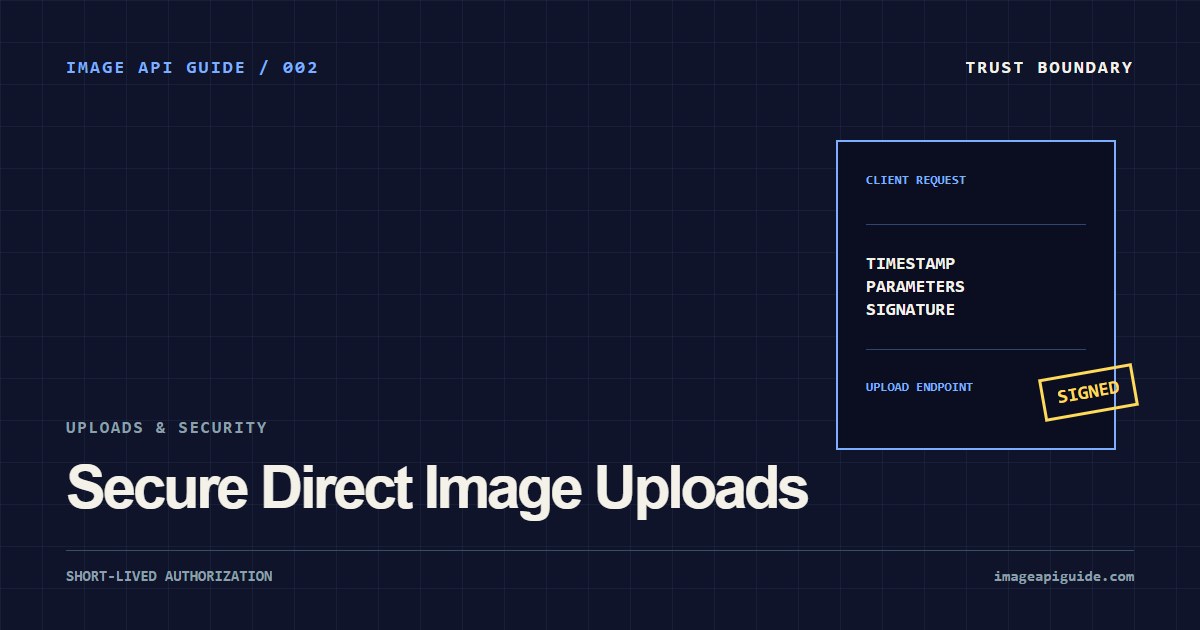
The safe pattern: let the browser send image bytes directly to the image service, but let your backend decide who may upload, which parameters are allowed, and how long the authorization remains valid. Never put a long-lived API secret in browser or mobile code.
Direct upload is an architecture choice, not a relaxation of security. It removes your application server from the byte path while preserving it as the policy authority.
The request flow
A signed direct upload normally has five steps.
- The user selects a file. The client can perform fast usability checks, but these are not the final security checks.
- The client requests upload authorization. Your backend authenticates the user and receives only the intended upload parameters, not the full image body.
- The backend signs an allowlisted parameter set. It returns a timestamp, signature, public API key or account identifier, and any fixed upload preset or folder policy.
- The client uploads directly. The file and signed parameters go to the provider over HTTPS.
- Your system verifies completion. Store the returned asset identifier, and verify any asynchronous webhook before advancing business state.
Cloudinary documents this split explicitly: authenticated upload signatures are generated from request parameters and the API secret, and the API secret must not be exposed in client-side code. Its signature-based upload request includes a timestamp and signature, and the documented signature validity is one hour. See programmatic upload authentication and Cloudinary signatures.
Sign intent, not arbitrary client input
The signing endpoint should not accept an opaque object from the browser and sign it unchanged. That converts your backend into a signature oracle.
Build the signed parameters from server policy:
authenticated user
  + allowed upload purpose
  + server-owned folder or asset prefix
  + short validity window
  + approved transformation or preset
  = signed upload authorization
For example, the client may request the purpose profile-avatar. The server maps that purpose to an approved folder, maximum workflow, overwrite rule, and metadata schema. It should reject an unexpected folder, public identifier, callback URL, eager transformation, or moderation option rather than signing it.
This keeps product authorization in your application even when the provider performs the upload.
A backend signing endpoint
The exact signature algorithm belongs to the provider contract. Prefer the official backend SDK when it is available; it reduces subtle serialization mistakes. A framework-neutral endpoint looks like this:
POST /api/image-upload-authorizations
Authorization: Bearer <application session>

{
  "purpose": "profile-avatar",
  "content_type": "image/jpeg"
}
The server should:
1. authenticate the application user
2. authorize the requested purpose
3. map purpose to server-owned upload parameters
4. add the provider timestamp or expiry
5. sign exactly the documented parameter set
6. return only public configuration, the signature, and approved parameters
The response must not include the API secret, signing key, or any general-purpose credential. Log the application user, upload purpose, operation ID, and policy outcome, but not the secret or raw signature material.
Cloudinary’s Upload Widget supports a signature callback that calls a server-side endpoint after the final widget parameters are known. Its documentation warns to use the timestamp supplied by the widget when generating that signature. See the signed Upload Widget flow.
Client checks improve UX; server checks establish trust
The browser can reject an obviously wrong file before spending bandwidth. Check the selected file count, claimed media type, and visible size limit. Treat those checks as hints because a modified client can bypass them.
The upload service or your post-upload pipeline should validate:
- an allowlisted format rather than only the filename extension;
- decoded dimensions and total pixel count;
- actual content signature or magic bytes;
- file size and account quota;
- animation, layers, or page count when relevant;
- metadata that should be stripped or retained;
- whether SVG or remote-source uploads are allowed;
- malware or content moderation policy where the use case requires it.
The OWASP File Upload Cheat Sheet recommends defense in depth: allowlisted extensions, generated filenames, size limits, authorized uploaders, storage outside the web root where applicable, and content validation. It also notes that the request Content-Type is user-controlled and cannot be trusted by itself.
Choose stable asset identity before uploading
Retries become dangerous when every upload attempt creates a new asset. Give the logical operation a stable identity.
Options include:
- an application-generated operation ID stored before upload;
- a deterministic provider public ID scoped to the authorized user and purpose;
- a provider-supported idempotency key;
- a post-upload deduplication rule based on a trusted checksum.
Do not use a user-supplied filename as the stable identity. Filenames collide, disclose information, and change without changing the file.
Decide overwrite semantics explicitly. If the same operation arrives twice, either return the existing successful result or create a new immutable version. Do not silently replace an asset merely because its public identifier matched.
Handle expiration and replay
A signature proves that a trusted server approved a set of parameters. It does not automatically prove that the browser should be allowed to reuse that approval indefinitely.
Use the shortest practical authorization lifetime. Bind authorization to the intended operation and user. Record the operation server-side when higher assurance is required. If the provider signature format allows a valid request to be replayed during its time window, make the asset operation itself idempotent or mark a one-time application token as consumed.
For webhooks, verify the raw body and documented signature headers before parsing the event into business data. Enforce a freshness window and make event handling idempotent because network retries can deliver the same event more than once. Cloudinary’s Upload Widget documentation includes a server-side example that verifies notification signatures against the raw body, timestamp, and a validity window.
Treat the upload response as untrusted input too
The browser receives a provider response, but your application should not accept any arbitrary URL or asset ID the client posts back.
Verify that:
- the response signature is valid when the provider supplies one;
- the asset belongs to the correct account and allowed folder or prefix;
- its media type, dimensions, and moderation state meet policy;
- its public identifier matches the authorized operation;
- the operation has not already been completed with a different asset;
- any webhook agrees with the recorded upload.
Store the provider asset ID and version, not only a mutable delivery URL. The application can build or request delivery URLs later from that durable identity.
Failure handling by stage
Different failures need different recovery.
Authorization failed
Return a normal application authorization error. Do not reveal whether an internal account, preset, or folder exists.
Signature expired
Request a new authorization after confirming the user is still allowed to upload. Do not extend an expired signature in the client.
Transfer interrupted
Resume with the provider’s supported chunk protocol or restart using the same logical operation identity. Show clear progress and cancellation state.
Provider accepted the file but the client lost the response
Look up the operation by its stable ID before creating another asset. This is the classic ambiguous completion case.
Asynchronous processing failed
Keep the original asset state separate from the derivative or moderation job. Retry only the failed stage, and expose a recoverable processing status to the application.
Our guide to image API error handling provides the retry classification and telemetry model for these cases.
Production checklist
- Long-lived secrets exist only in server-controlled secret storage.
- The signing endpoint authenticates the application user.
- The server constructs or strictly allowlists signed parameters.
- Authorization is short-lived and scoped to one purpose.
- Upload types, bytes, decoded dimensions, and pixel count are limited.
- Remote fetch, SVG, animation, and metadata each have explicit policy.
- A logical operation ID makes ambiguous retries safe.
- The returned asset identity and any webhook are verified.
- Logs connect authorization, transfer, provider response, and processing without leaking secrets.
- Abuse, rate limits, and account quotas have alerts.
Once this boundary is sound, transformation and delivery can build on a trustworthy asset record. Start with the broader image API architecture guide if the original, asset ID, recipe, and derivative are not yet separate concepts in your system.
Related field note
Continue with Correlate Image Requests with Trace IDs.